YT pro is the modded version of YouTube and stock version of youtube, in this includes adds free Blocks All videos ads and allows you to play videos in the background or in Picture in Picture.Different video resolutions are available when downloading videos, including 720p, 1080p HD, 2k HD and even 4K. What’s more, videos can be saved as MP3 or M4A directly, without extra video to audio conversion. Choose your ideal resolution and enjoy!
- Download YouTube Pro
- Version Information
- What is YT Pro
- Features YT Pro
- How to Install YT Pro
- How to Install YT Pro
- Conclusion
Download YouTube Pro APK Latest Version
Blocks All videos ads and allows you to play videos in the background and also download videos and audio directly in your android phone.Version Info
| Name | YT Pro |
| Developer | SamMods |
| Version | 56 |
| Last Updated | 2026 |
| Size | 77MB |
| Variants | With Downloading |
| Android | 4.0+ |
| Downloads | 5,000+ |
What is YT Pro ?
Blocks All videos ads and allows you to play videos in the background and also download videos and audio directly in your android phone. YouTube pro is the modded version of YouTube and stock version of youtube, in this includes adds free Blocks All videos ads and allows you to play videos in the background or in Picture in Picture.Different video resolutions are available when downloading videos, including 720p, 1080p HD, 2k HD and even 4K. What’s more, videos can be saved as MP3 or M4A directly, without extra video to audio conversion. Choose your ideal resolution and enjoy!Features of YT Pro
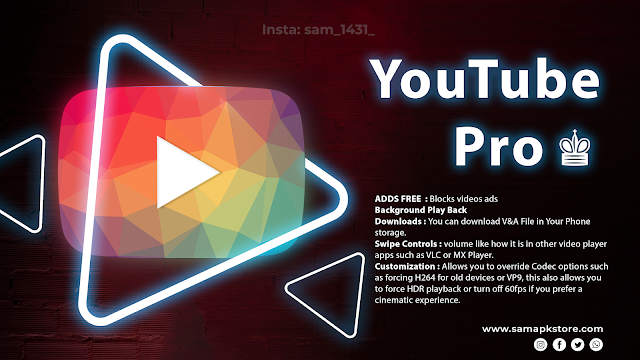
ADDS FREE : Blocks videos ads and allows you to play without ads.Background Play Back: Watch all videos from YouTube while you continue to use your smartphone normally with Minimize Floating Popup Player.
Downloads : You can download V&A File in Your Phone storage.
Swipe Controls : Swipe controls allow you to control brightness and volume like how it is in other video player apps such as VLC or MX Player.
Customization :Allows you to override Codec options such as forcing H264 for old devices or VP9, this also allows you to force HDR playback or turn off 60fps if you prefer a cinematic experience.
Many More : Fine your self.
How to Log In
STEP 1 👉 This is very easy Download the microg apk. Now Click On APK Install it. STEP 2👉Click on Add google account then click on SIGN IN option . STEP 3👉After that complete the setup Enter your gmail and password ...Done ! 🙂
How to Install YouTube
This is very easy Download the APK to your Android device. Now Click On APK Install it, STEP 1 👉Download and install the given apk. STEP 2👉If You get any error then donwload apk again . STEP 3👉After that complete the setup and start using it. Enjoy ! 🙂Conclusion
This is the best New Unique apk now days and fast secure stable apk. YouTube Pro Up gives you options to be different. It’s light, RAM & battery great use of. (Make something great of your daily conversations. )
YouTube Pro V56
YouTube Pro V56


Aparentemente não está permitindo assistir vídeos acima de 360p, parece que o yt está travando nessa qualidade
ReplyDeleteMesma coisa aqui video muda para 360p não da pra alterar
ReplyDeleteIn new update in youtube in live videos playing video after few seconds videos is stopped/buffering
ReplyDeleteFix it
DeleteIt's been malfunctioning for over a month; videos don't load past the 1:00 mark, or the quality drops.
ReplyDeleteAfter 60 seconds, the video stops and the quality is automatically changed to 360p. Can't able to change it.
ReplyDeleteAfter 60 seconds, the video stops and the quality is automatically changed to 360p. Can't able to change it. This is happening from July 21 onwards on v55. Updated to v56 on July 22 and still the issue persist. Uninstalled and cleared data of v55 then only installed v56. Kindly fix it.
ReplyDeleteAfter 60 seconds and sometime 53 seconds, the video stops and the quality is automatically changed to 360p. Can't able to change it.
ReplyDeleteAnd the video gets stuck even in shorts
Can you please stop the sport news notification you added recently.
ReplyDelete